


Shortn: short viral video app
4.1934.00 Reviews
App Specs
- Version
- 10.44.11
- Updated On
- License
- Free
- Downloads
- 1,000,000+
- Developer
- 3COMMAS LTD
- Categories
- Entertainment
- Platform
- Android
Screenshots

 Analysis by AppCompare
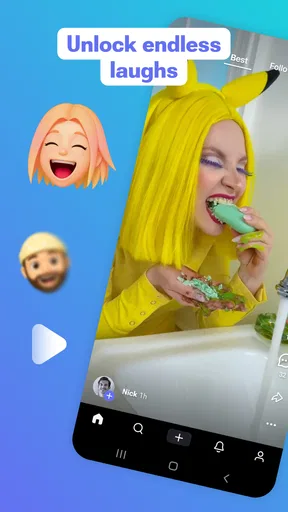
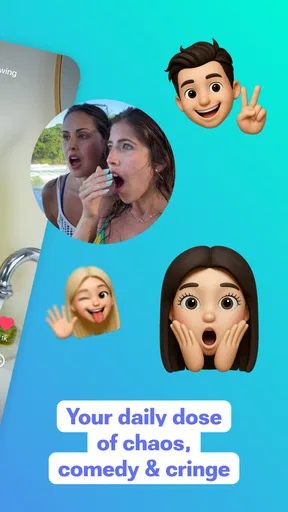
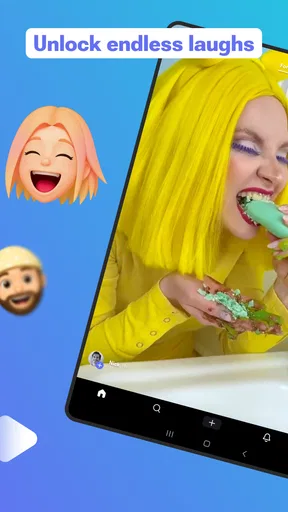
I judge short-video apps by what happens in the small gaps of a day: a few minutes before an appointment, a quiet lunch break, or the wait for a bus. Shortn is built for that kind of casual viewing, bringing quick clips, GIFs, memes, and pranks into an entertainment app. I find that format easy to dip into, though it can also make a short break stretch longer than planned.
When the connection is part of the experience
Short videos are only as effortless as the network carrying them. On a reliable connection, a fast-moving feed feels natural: watch one clip, swipe to the next, and let the app provide the next distraction. If the signal is weak or keeps dropping, that rhythm can break. I’d treat this as an app for connected moments rather than something to count on when I know I’ll be offline.
That distinction matters on a commute. If I’m waiting somewhere with dependable service, the app can fill a few minutes without asking me to choose a long video or commit to a particular show. In a tunnel, on a crowded route, or in a building with patchy reception, I’d have a book, music, or something already saved elsewhere ready instead. Short-form viewing works best when each clip can load without turning a quick check-in into a test of patience.
Small-screen viewing, with a stopping point in mind
The format suits a phone because each item is brief and easy to watch in a spare moment. I’d use Shortn while waiting for coffee or taking a short break, but I’d set a practical boundary before opening it: decide whether I have a couple of minutes or a longer pause. A stream of quick clips can make time feel less visible, so the useful trick is to choose the end of the break before the scrolling begins.
Shortn is an entertainment app from 3COMMAS LTD. It is free to install, with optional in-app purchases priced from $1.99 to $49.99 per item. Its Teen content rating is worth bearing in mind if a younger family member uses the same device; I wouldn’t assume that a playful presentation means every clip is suitable for every age. The app is version 10.39.11 and requires Android 8.0 or later.
What to do when viewing feels less smooth
When clips hesitate or the feed stops feeling fluid, I first check whether the connection is the likely cause rather than repeatedly tapping through the same screen. Switching to a more stable network, if one is available, is a sensible next step; otherwise, I’d close the app and come back when the signal improves. That approach avoids wasting a short break fighting a feed that depends on timely loading.
I also wouldn’t use a hiccup as a reason to assume that my viewing history or a particular clip will be waiting in the same place later. For something I want to show a friend, I’d share or make a note of it while I can still see it, rather than rely on remembering where it appeared in a long scroll. That’s a small habit, but it makes a fast-moving feed easier to use intentionally.
Worth Reading Before You Choose

EA SPORTS FC Mobile 26 Is a Bigger Football Game, but It Takes Time

Flipboard Shows What News Apps Must Do Beyond the Feed

Switching to Android Auto Means Rethinking Your Driving Routine

Google Calendar Makes a Crowded Week Easier to Manage

Ludo King Makes the Most of the Minutes Between Plans

Baby Panda World Brings Quick Play to Modern Phones, but Its Game Library Feels Busy
Keeping mobile use deliberate
Video can use more mobile data than reading text or looking at still images, so I’d save casual browsing for Wi-Fi when I’m trying to conserve a limited plan. If I do open the app on mobile data, I keep the session short and avoid leaving the feed running while I’m doing something else. The practical trade-off is simple: quick entertainment is convenient, but repeated swiping can turn a few clips into a longer session than I intended.
For that reason, Shortn makes the most sense to me as a deliberate break rather than background noise. I’d open it when I have time to watch and a connection that can support video, then put the phone away when the break ends. If I mainly want audio while walking, a podcast app is a better fit; if I want a planned story or a longer tutorial, a conventional video platform gives me more control over what I choose.
Have you ever found yourself endlessly scrolling through your social media feeds, only to land on a rabbit hole of short videos that you can't seem to stop watching? Well, you're not alone! And that's exactly where Shortn comes into play. This app has quickly become my go-to for quick, engaging content that keeps me entertained during those little breaks throughout the day.
Discovering a World of Short Videos
From the moment I installed Shortn, I was impressed by its sleek and intuitive user interface. It didn’t take long before I was diving headfirst into a plethora of viral videos spanning every topic imaginable. Whether you're into cooking hacks, funny pet antics, or the latest dance crazes, Shortn has something for everyone.
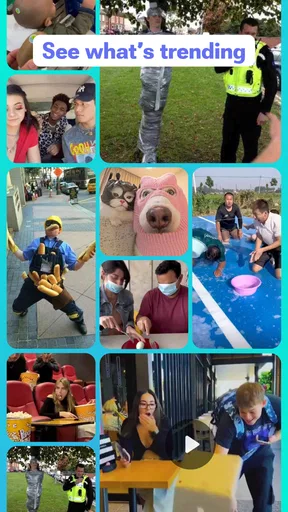
The app organizes content into various categories, making it super easy to find exactly what you're in the mood for. I found myself losing track of time as I explored the "Trending" section, where the hottest videos of the day are just a tap away. Talk about a time warp!
Creating and Sharing Your Own Content
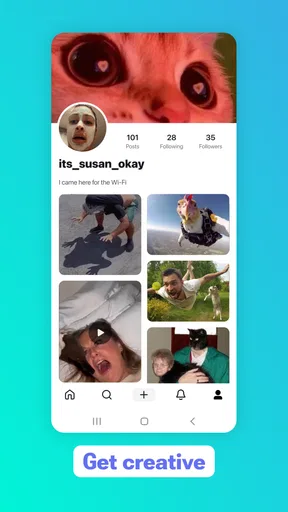
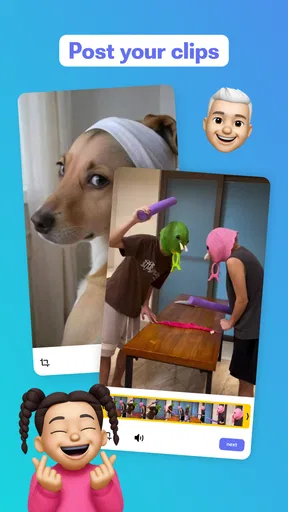
One of the standout features of Shortn is its user-friendly editing tools. Even if you're a newbie to video creation, the app makes it a breeze to shoot, edit, and share your own short videos. With filters, effects, and a vast library of music to choose from, your creativity can run wild.
I personally enjoyed experimenting with the app's built-in editing suite. The ability to trim clips, add music, and play around with effects meant I could easily put together a fun and polished video in minutes. It’s as if I had a mini production studio right in my pocket!
Engaging with a Thriving Community
What makes Shortn more than just a video app is its vibrant community. The app encourages interaction through likes, comments, and the ability to follow your favorite creators. I found myself quickly getting sucked into conversations and challenges, making the experience all the more interactive and enjoyable.
Moreover, the app’s algorithm does a fantastic job of suggesting content based on my viewing habits, ensuring I never miss out on videos that align with my interests. It's like having a personal curator who knows exactly what I want to watch next.
Seamless Integration and Accessibility
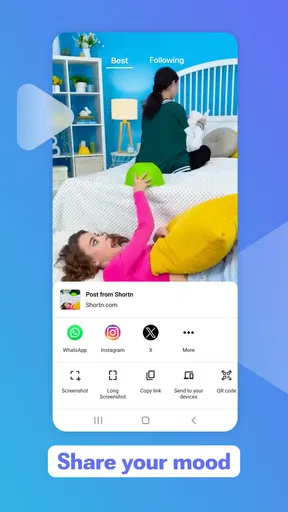
One thing I really appreciate about Shortn is how seamlessly it integrates with other social media platforms. Sharing my favorite clips with friends on Instagram or Twitter is just a couple of taps away, making it easy to spread the joy.
Additionally, the app runs smoothly on both Android and iOS devices, without any noticeable glitches or lag. As someone who switches between different devices, I found this cross-platform compatibility to be a huge plus.
For a real-world routine, I’d use the feed differently depending on the moment. At lunch, I might browse a few clips that fit my mood, then share one that genuinely made me laugh rather than forwarding everything I see. When I’m waiting for an appointment, I’d keep the session casual and stop once I’m called. If I’m making a clip myself, I’d plan the basic idea before opening the editor; that makes trimming, choosing a sound, and applying an effect feel like finishing a small project instead of endlessly adjusting it.
Who will get the most out of it
I think Shortn is best for people who enjoy discovering quick, informal entertainment and are happy to let a feed introduce them to clips they did not search for. Its mix of short videos, GIFs, memes, and pranks gives it a lighter feel than opening a platform with a specific long video in mind. The reported average rating is 4.1 from around 12,000 ratings, and the app has passed 500,000 installs, which suggests it has found an audience without making it the right choice for every viewer.
If you already use a broad social network mainly for short clips, the main question is whether you want a separate place for this kind of browsing. A general social feed may be more convenient if your friends, messages, and videos are already there. A dedicated short-video experience is more appealing when you want entertainment without first sorting through unrelated updates. For deliberate viewing, though, search-led video services are usually better: you can choose a particular topic or creator instead of relying on whatever catches your eye next.
I’d skip Shortn if I need a firm end point, want to avoid algorithm-led browsing, or have very limited mobile data and no reliable Wi-Fi nearby. I’d also choose another tool if my main aim were to publish carefully edited, longer work or keep up with friends in a single social hub. Shortn’s appeal is the quick turn from opening the app to finding a small piece of entertainment; that same immediacy is a drawback when I want a calmer, more controlled session.
Making the feed work for you
One useful habit is to treat the first few swipes as a check, not a promise to keep watching. If the clips are not matching my mood, I’d leave rather than keep scrolling in the hope that the next one will be better. That keeps the recommendation stream from deciding how long my break lasts. When I do find something worth sharing, I’d send that individual clip while it is in front of me instead of trying to reconstruct the path to it later.
Creators can benefit from a similarly simple workflow. I’d decide what the clip is meant to communicate, then use trimming and effects to support that idea instead of adding every available treatment. A quick edit can be useful for a spontaneous joke or a small moment worth sharing, but a polished result still depends on the footage and the idea. The editing tools make experimentation approachable; they don’t remove the need to keep a clip focused.
The app is free to start, but the optional purchases are a reason to pay attention during installation and use, especially if someone else can make purchases on the device. The listed range runs from $1.99 to $49.99 per item, so I would not treat every element in the experience as automatically included. I’d check what an offered purchase covers before confirming it and decide whether it adds enough value for my own viewing or creating habits.
A realistic connectivity trade-off
Imagine I have ten minutes before meeting a friend. On Wi-Fi, I can browse a few clips, find one that fits our shared sense of humor, and send it along. If I’m already outside and the connection is unreliable, I wouldn’t keep refreshing or assume a video will load instantly; I’d switch to something that works in that setting and return to Shortn later. This is less about a flaw unique to one app than about matching a video feed to the connection available at the time.
For families, the Teen rating is a useful starting point, not a substitute for deciding what is appropriate for a particular teenager. I’d talk about sensible viewing and purchases rather than handing over a phone on the assumption that short, humorous clips are automatically harmless. For adults sharing devices, checking who can access purchase options is equally practical. Those small boundaries make a casual entertainment app easier to fit into a household routine.
A Few Words to Wrap Up
In a world where time is of the essence, Shortn provides a perfect escape into bite-sized entertainment that’s both fun and addictive. It’s an app that caters to both viewers and creators, offering a platform where creativity thrives and community engagement is encouraged.
If you're looking for an app that delivers endless entertainment and a chance to showcase your own creativity, give Shortn a try. Trust me, it's a ride you won't want to miss!
My final take is that Shortn works best when I choose the moment for it: a short, connected break, an easy clip to share, or a low-pressure place to try a simple video idea. It is less suitable for offline travel, strict data budgets, or anyone who wants every viewing choice to be intentional. If that balance sounds right, it is worth trying; if not, a saved playlist, a podcast, or a search-first video app will likely serve you better.
Pros
- Easy-to-use interface enhances user experience.
- Wide variety of short videos available.
- Fast loading times for smooth playback.
- Customizable feed based on preferences.
- Regular updates with new features.
Cons
- Ads can be intrusive during video playback.
- Limited parental controls for younger users.
- Occasional bugs with video uploading.
- Requires a stable internet connection.
- User data privacy concerns.
FAQs for Shortn: short viral video app
What is Shortn and how does it work?
Shortn is a dynamic app designed for creating and sharing short viral videos. It allows users to film, edit, and enhance videos with a variety of filters and effects, making it easy to produce engaging content. The app’s intuitive interface is user-friendly, making it accessible for both beginners and experienced creators.
What features does Shortn offer to enhance my videos?
Shortn offers a wide range of features to elevate your video content. It includes a variety of filters, editing tools, and special effects that can be applied with ease. Users can also add music, text, and stickers to their videos, providing creative freedom to personalize and enhance their content.
Is Shortn available for both Android and iOS devices?
Yes, Shortn is available for both Android and iOS platforms. This ensures that users across different devices can enjoy creating and sharing short videos without any compatibility issues. You can download the app from the Google Play Store for Android or the Apple App Store for iOS.
Are there any in-app purchases or subscriptions in Shortn?
Shortn offers a free version with basic features accessible to all users. However, there are in-app purchases available that unlock advanced features and additional content. These might include premium filters, effects, and an ad-free experience. Users can choose to upgrade depending on their needs and preferences.
How can I share my videos created on Shortn?
Sharing your videos on Shortn is straightforward. The app provides seamless integration with popular social media platforms like Instagram, TikTok, and Facebook. Users can directly upload their creations from within the app or save them to their device for later sharing. This makes it easy to reach a wider audience with your content.


